
When selecting porcelain mugs for a company order, two shortlisted models can look similar in photographs. A useful next step is to record what each example is intended to demonstrate. An undecorated mug, a digital artwork preview and a printed physical sample answer different questions. This guide helps you assess shortlisted models consistently and turn the result into a clear approval record.
Start with two or three shortlisted models
Choose a shortlist from the porcelain mug collection. Record each model name and product link rather than using a generic description such as “white mug”. Add a one-sentence use case, such as an office kitchen, employee gift or meeting-room service.
Establishing capacity, height and width requirements helps eliminate unsuitable models early. For detailed dimensional checks, see the office mug size guide. The next step here is to document how the remaining models will be assessed and exactly which decisions are approved.
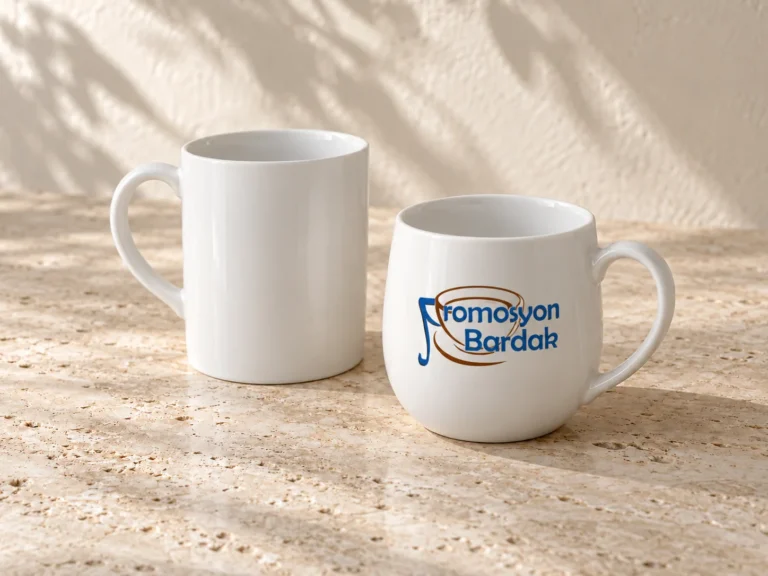
Identify what the example in front of you demonstrates
- Undecorated physical mug: Use it to assess body shape, handle comfort, feel and placement in the intended space. It does not show your applied logo.
- Digital artwork preview: Use it to check the logo version, spelling and proposed placement. Screen colour, surface texture and gloss alone are not a commitment to a particular production result.
- Printed physical example: Use it to inspect the decoration shown. An example made for another customer or on another model should not be treated as the result of your own design. Confirm its relationship to your requested model, artwork and decoration.
Ask separately whether samples are available, whether a printed sample can be prepared, and what charges, shipping and any return conditions apply. Do not assume the same options are offered for every model or request.
Use the same checklist for every candidate
Keep the assessment team, use case and logo version consistent. If you have an undecorated mug for one candidate but only a digital preview for another, record that limitation explicitly.
- Use: Note your observations on handle comfort, tray or shelf placement and suitability for the intended use.
- Artwork: Record the logo version, orientation and surface shown. Ask for confirmation of print dimensions rather than estimating them from an image.
- Open questions: List product and print care information, decoration suitability and unseen details separately. Do not infer an entire batch’s durability or washing performance from a single example.
- Decision: Mark “suitable”, “revision needed” or “awaiting information”, with the reason and decision-maker.
If the logo file is not settled, use the artwork preparation guide to establish a version. Changing the logo while comparing models can make it harder to distinguish product differences from design differences.
Turn sample feedback into an explicit approval record
Define the scope of approval rather than simply saying “this looks good, proceed”. Approving the model should not also imply acceptance of logo placement, price or delivery date. If a revision is needed, record which file or example must be reviewed again before final approval.
Copyable record: “Model / link: […]. Example type and reference reviewed: […]. Logo file / version: […]. Approved details: […]. Revisions or open questions: […]. Decision-maker / date: […]. Next approval step: […].”
Request a current quotation for the selected model
Share the model decision with your expected quantity and delivery requirement. A sample assessment does not replace the order terms: current suitability, quotation scope and timing need separate confirmation. Use the bulk branded mug quotation guide to complete the brief.
Ask about your shortlisted porcelain mugs. Include the model links, intended use, estimated quantity and whether you want to assess an undecorated product or an example with your own logo.